Android baby monitor guide
How do you turn an Android phone into a baby monitor?
Two Android phones are enough: a compatible old Android phone can become the baby Camera, the other one the parent Monitor. Here is how to pair them simply with Lumixi.
What you need
Two Android phones
One phone stays near the baby as the Camera. The second becomes your Monitor.
The Lumixi app
Install Lumixi on both devices, then allow camera and microphone access on the Camera phone.
An internet connection
Keep both devices connected so you can pair the Camera and the Monitor, and then receive the video and audio stream.
Setup
Build your Android baby monitor in three steps
-
1
Prepare the baby Camera
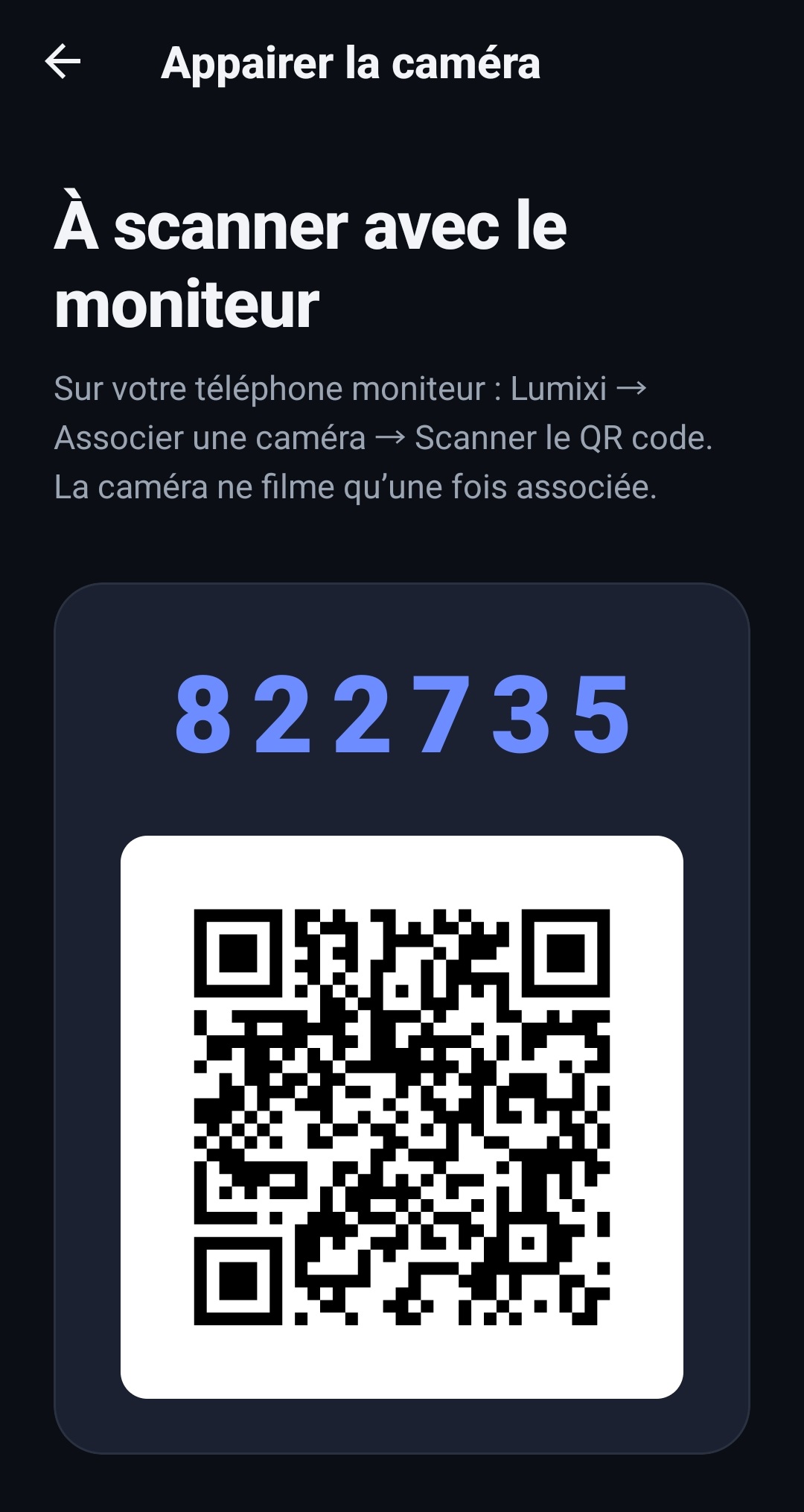
On the phone placed near the baby, open Lumixi and choose the Camera role. The app shows a QR code and a temporary six-digit code.
-
2
Connect the parent Monitor
On your second phone, choose the Monitor role. With the trial or Lumixi Premium, scan the Camera's QR code or type its code.
-
3
Watch the active camera
Choose the Camera to watch from the Monitor. Lumixi carries the video and the audio; you can also tune the sound and motion detection.
Setting up the Camera phone properly
Keep the phone stable and out of the baby's reach. Keep cables and chargers away from the sleeping area, check the framing and test the sound before leaving the room.
Lumixi helps you keep watch, but it never replaces adult supervision or the safe-sleep guidance for your child.
How does Lumixi Premium work?
Lumixi Premium is activated on the Monitor phone. The 7-day trial is offered to eligible Google Play users; after that, Google Play shows the price, taxes and terms for your country.
Android only, for now
Lumixi is not available on iPhone. Both devices must be Android phones: one for the Camera, one for the Monitor. The app installs from Google Play and requires Android 7.0 or newer (API 24).
Before the first stream, allow the camera and microphone on the Camera phone. On the Monitor, the 7-day trial or Lumixi Premium is required to scan the QR code and follow the active camera. Always test picture and sound from the room where you will stay, not only next to the Camera.
Two parents, one subscription
A Lumixi household has two Monitor seats: both parents can install the app on their own Android phone and watch with a single subscription. The Camera never buys anything: it shows a QR and waits to be selected. One camera is watched by one Monitor at a time — the other parent takes over by selecting that camera on their phone, without creating a Lumixi account.
The usual setup is an older Android by the crib, the daily phone as Monitor, and optionally the second parent's phone as the extra seat. Always test the stream from the room you will actually stay in, not only next to the Camera. Android 7.0 (API 24) is the minimum; a very old phone may refuse the camera or microphone, or run too hot once plugged in.
Frequently asked questions about Android baby monitors
Can you use an old Android phone as a baby monitor?
Yes, if the phone is compatible with Lumixi. It can take the baby Camera role; a second Android phone acts as the parent Monitor.
Does an Android baby monitor need an internet connection?
Both phones must be connected in order to pair the Camera and the Monitor, and then to receive the video and audio stream.
What is the difference between the baby Camera and the parent Monitor?
The Camera stays near the baby and sends the stream. The parent Monitor lets you select the active Camera, watch the video and listen to the audio.
Does Lumixi work on iPhone?
No. Lumixi is Android-only for now. Both the Camera and the Monitor must be Android phones.
Ready to install Lumixi?
Download on Google Play